Artificial intelligence (AI) has made its way everywhere: into our messaging apps, our work tools, and now into website design and management.
If you use WordPress, you’ve probably heard about these new AI features that promise to generate content, optimize SEO, or create designs in just a few clicks.
But what does that actually mean for you, as a user of the world’s most popular CMS?
In this article, we explain why AI is changing the game for WordPress, what it can really do, and which tools and plugins to prioritize for creating and optimizing your site (with a concrete example of integration).
After reading this content, you will have a clear overview of the topic, along with practical recommendations to get started effectively.
Why use AI on WordPress?
According to data provided by the W3Techs organization, WordPress powers more than 42% of websites worldwide at the time of publishing this article.
It is the leading CMS (Content Management System) for bloggers, SMEs, e-commerce businesses, and agencies.
However, managing and handling the maintenance of a WordPress site requires time, a wide range of skills (writing, design, SEO, development, coding, etc.) and significant human resources.
This is precisely where artificial intelligence comes in. It makes it possible to automate repetitive tasks, speed up content creation, improve organic SEO and offer users a better experience.
For website owners who have neither the time nor the budget to build a full team around them, AI represents a real driver of competitiveness.
Another important point: the learning curve for these tools is much gentler than you might think. You do not need to be a developer to benefit from AI on your WordPress site.
Most available solutions integrate directly into your dashboard, in the form of plugins that are accessible even to beginners.
What can artificial intelligence do on a WordPress site?
AI on WordPress is not just a simple assistant capable of writing articles. Its applications are much broader.
The main features you can take advantage of today are as follows:
- Generate written content: tools based on language models like ChatGPT can write blog posts, product descriptions, meta descriptions or service pages in just a few seconds. You provide a topic and specific instructions, and the AI produces a structured text that you only need to refine.
- Optimize images: intelligent compression, automatic resizing, and even AI-powered image generation are now accessible directly from WordPress. This improves your site’s performance and contributes to your SEO.
- Improve SEO: some plugins analyze your content in real time and suggest optimizations based on Google’s criteria (keyword density, heading structure, readability, internal linking). AI-powered SEO assistance becomes a valuable co-pilot.
- Automate customer service: intelligent chatbots can answer your visitors’ frequently asked questions 24/7, qualify leads, or direct users to the right pages.
- Strengthen security: AI-powered security solutions detect suspicious behavior, block intrusion attempts, and proactively protect your files.
In practice, these features combine to save you a considerable amount of time in the day-to-day management of your site.
AI tools and plugins for WordPress
The market for AI plugins for WordPress has exploded in recent years. It can sometimes be difficult to find your way around, especially in the CMS’s official plugin directory.
Simply type “AI” (for “artificial intelligence”) into the search bar, and you’ll find yourself with nearly 3,000 results.
To help you see things more clearly and save time in your research, discover a selection of the best tools right away, organized by use case.
Creating a WordPress site with AI
Creating a WordPress site from scratch, without technical knowledge and without touching a single line of code, is made possible thanks to AI.
Most page builders integrate artificial intelligence directly into their visual editor. While each solution has its own specific features, most of them offer a common set of native AI-based options to:
- Create your layouts (with sections, blocks, etc.) from a text description.
- Generate text and images.
- Suggest code snippets.
Among the most widely used page builders are the Divi Builder and its latest version (Divi 5), and of course Elementor, the most widely used site builder within the WordPress ecosystem (nearly 20 million active installations!).
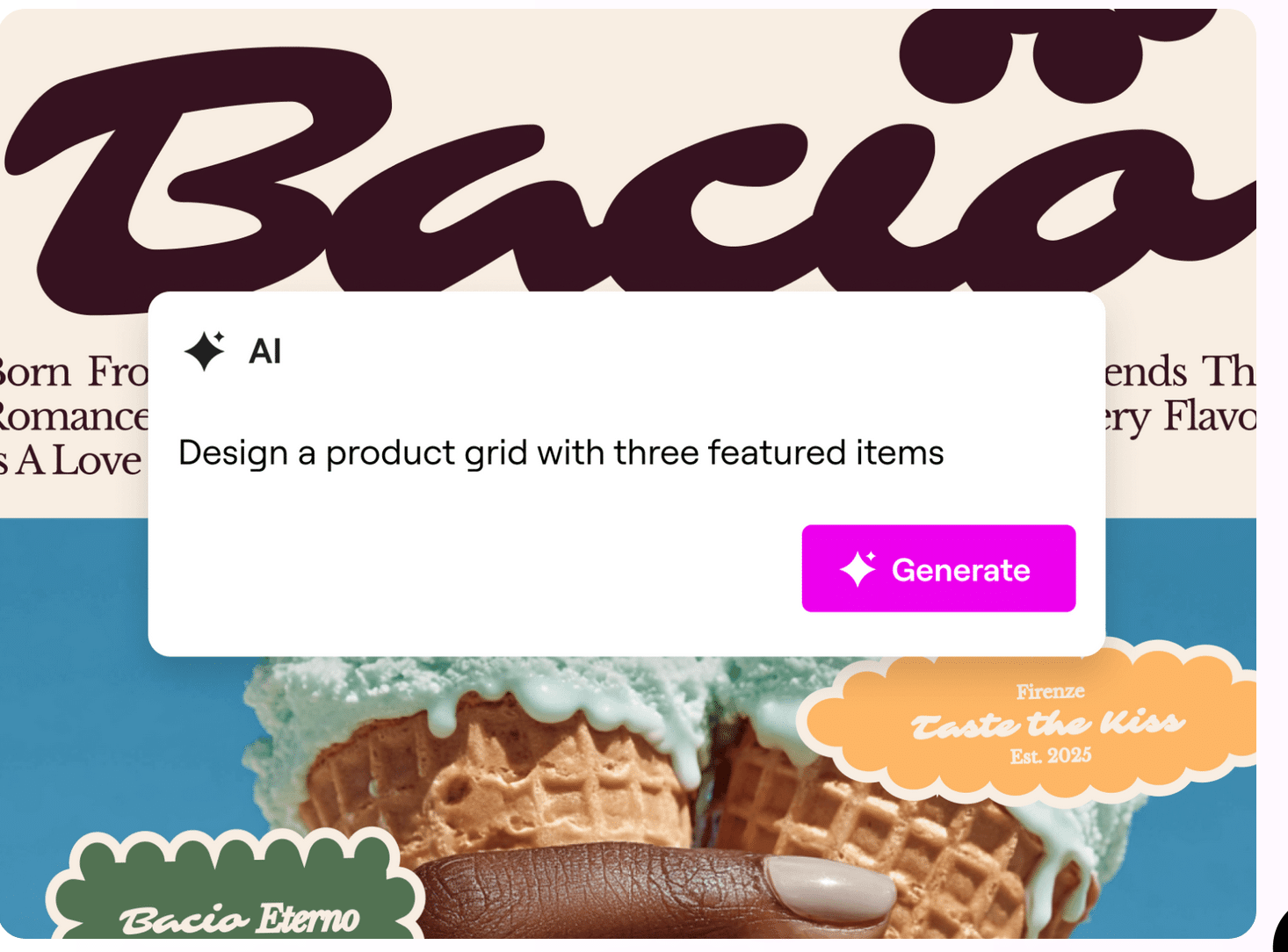
These tools are particularly useful for website creators who want to launch a project quickly, or for agencies looking to speed up their design process.
At the same time, if you are used to creating your layouts with the WordPress Site Editor (Gutenberg), also take a look at Telex, the free AI-powered block creation tool offered by Automattic, the company behind WordPress.com.
Finally, it is also worth noting that more and more web hosts (Kinsta, Hostinger, etc.) are offering their users their own AI solutions for creating websites and generating content, similar to what page builders already offer.
Warning: AI generates content, but it does not provide advice and does not replace the professional expertise of a human on all major aspects related to creating a website (design, UX, SEO, security, etc.). Only a freelancer or a WordPress agency can provide you with technical and strategic expertise that no AI tool can replace.
Content creation and SEO optimization
Once your site has been created, you will need to fill it with content. Multiple plugins and tools allow you to generate and optimize text directly in WordPress.
They integrate with the Gutenberg editor and allow you to write articles, catchy titles, introductions, or summaries in just a few clicks, based on a prompt or instructions you have given them.
A few examples:
In addition to that, you will also find AI writing tools that offer integration with WordPress, either via a plugin or via a connection key: Otomatic.ai, Wisewand, Text Bulker, Skoatch, etc.
To optimize the on-page SEO of your posts or pages, you can use an SEO plugin that includes AI-based options, such as the automatic generation of title tags and meta descriptions.
This is the case, for example, with Yoast SEO, Rank Math, or SEOPress.
Image generation
Beyond text optimization, AI can now create images from scratch, without using a graphic designer or paid stock photo libraries.
Tools like DALL·E (integrated into ChatGPT), Midjourney, or Adobe Firefly generate custom visuals from a simple text description.
For WordPress users, several plugins bridge the gap between these services and your editor, such as AI Engine or WP Nano Banana.
Note, however, that images produced by AI must be checked before publication: some may contain visual inconsistencies or raise rights-related issues depending on the platform used. Choose tools whose terms of use explicitly allow commercial use.
Chatbot
If you have a service website or a WooCommerce store, a chatbot is an excellent way to improve the user experience, reduce cart abandonment, and collect information about your prospects’ needs.
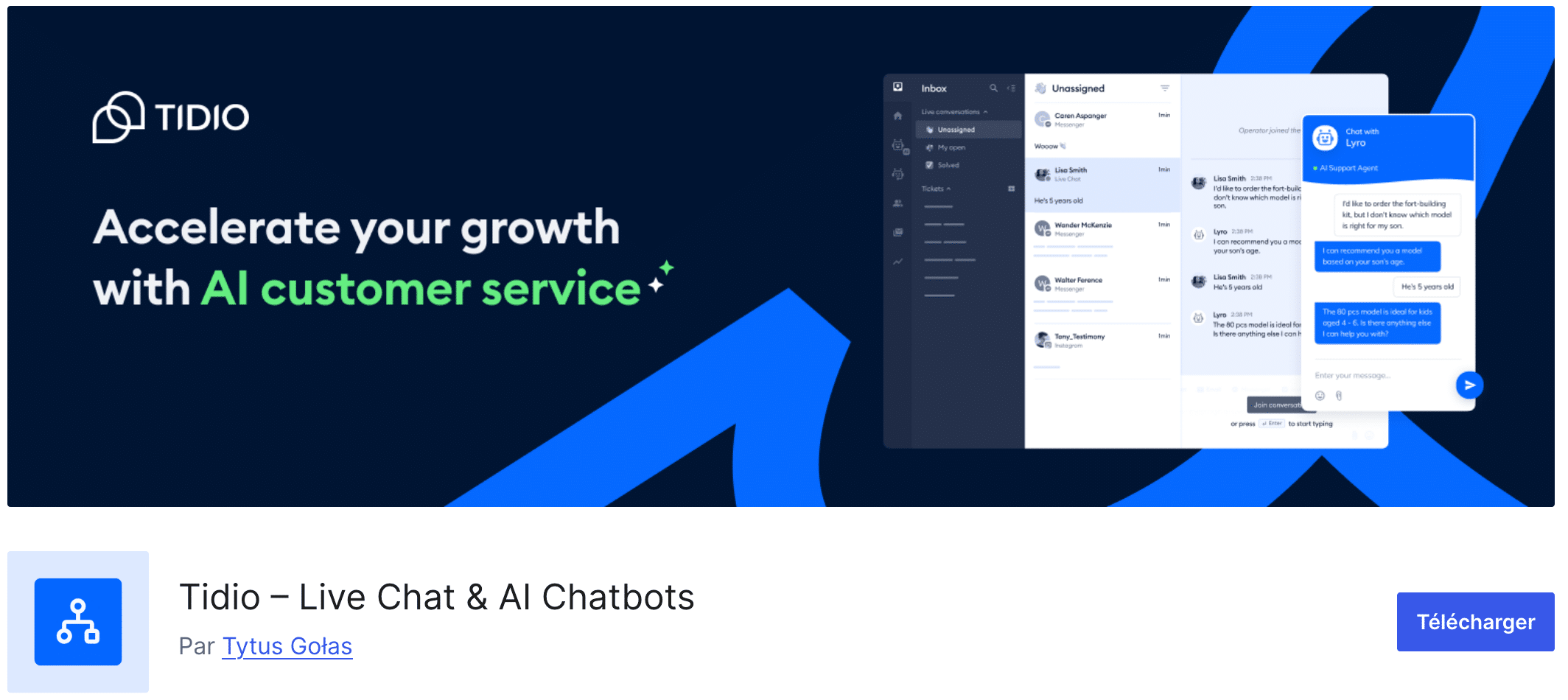
Some solutions integrate directly with your CRM or email marketing tool. WPBot or Tidio allow you to integrate an intelligent conversational assistant into your site.
These chatbots use AI to understand visitors’ questions and answer them appropriately, without human intervention.
Security
Finally, some plugins use AI to continuously analyze your site’s behavior, detect anomalies, and block threats before they affect your files or data.
AI-powered behavioral analysis is far more effective than simple blacklists of malicious signatures.
The Quttera plugin, for example, is capable of detecting and analyzing malware.
How to integrate AI into WordPress?
Now that you have a complete overview of the AI solutions and plugins available on WordPress, you’re probably wondering how to integrate them into your site.
Steps to follow
Integrating artificial intelligence into a WordPress site follows a simple process, in several steps:
- Define your priority needs. Before installing any plugin, identify the tasks that cost you the most time or energy. Is it content writing? SEO optimization? Image management? Start with your real pain points.
- Choose plugins compatible with your version of WordPress. Not all AI plugins are compatible with every version of the CMS or with every theme. Check the technical requirements before installation, and make sure your hosting environment is suitable.
- Test one plugin at a time. A common mistake is installing several tools simultaneously, which can cause conflicts and slow down your site. We recommend testing each plugin in a staging environment before deploying it to production.
- Configure the tools carefully. Most AI plugins require an API key (especially to connect to services such as ChatGPT or Google). Follow the installation guides provided by the developers and take the time to configure each feature according to your goals.
- Monitor performance. After integration, measure the impact of AI tools on loading speed, bounce rate, and your SEO rankings. A poorly configured plugin can harm your site as much as it helps it.
Example of native AI integration on WordPress
By the time you read these lines, WordPress 7.0 may already have been released. And that’s perfect timing, since this new major version brings artificial intelligence into the heart of the CMS.
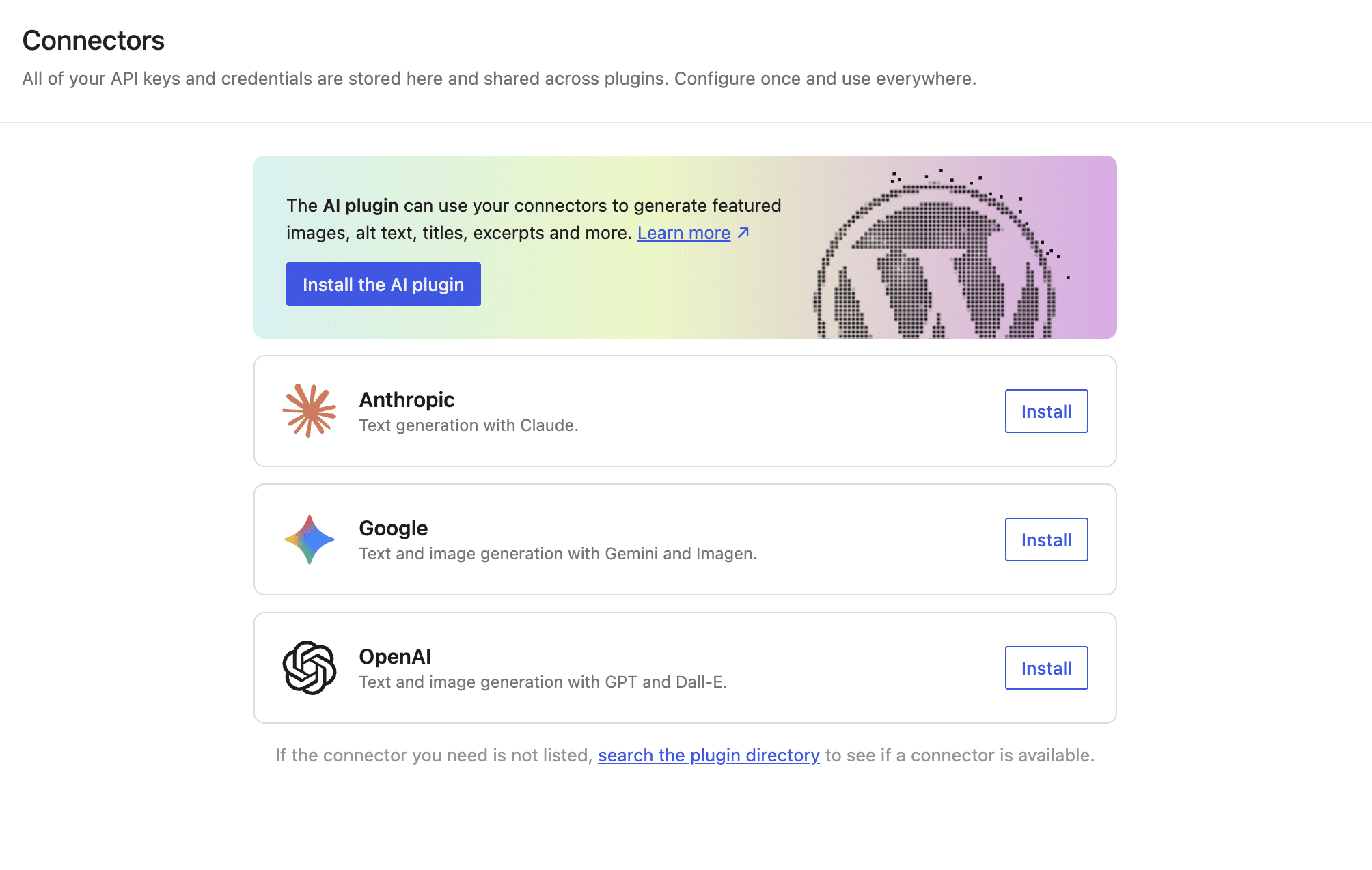
Through a new menu available under Settings > Connectors, you will be able to connect WordPress (with an API key) to three AI providers:
- Anthropic: to generate text with Claude AI models.
- Google: to produce text with Gemini and generate images with Imagen.
- OpenAI : to produce text with ChatGPT and generate images with DALL·E.
To connect the LLM provider of your choice, click the “Install” button and add your API key:
You will then have access to a set of features directly in the WordPress Editor:
- Generation of alt tags for your images.
- Image generation and editing.
- Title generation.
- Summary of long-form content.
- Excerpt generation.
Integration with the three LLM providers (Anthropic, Google, and OpenAI) is also offered through 3 plugins available in the official directory: AI Provider for Anthropic, AI Provider for Google, AI Provider for OpenAI.
Example of integrating an AI plugin on WordPress
Is your site running a version earlier than WordPress 7.0, or would you rather use a third-party AI plugin? That’s possible too!
In practice, install an AI plugin on WordPress exactly as you would any other standard plugin.
Let’s see how it works with one of the best-known ones, AI Engine (100,000+ active installations), which has the advantage of being a Swiss Army knife.
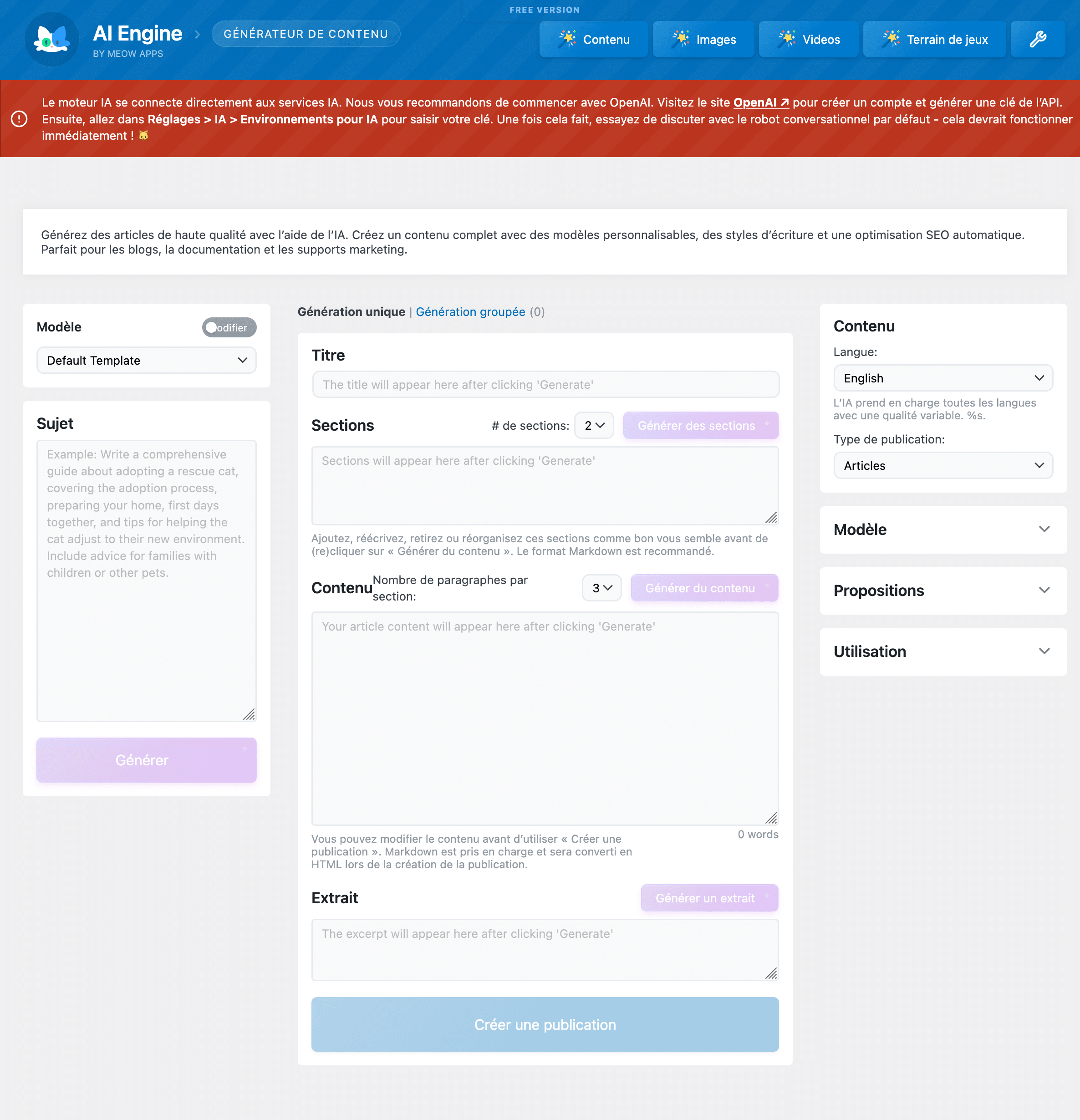
With it, you can, for example, create text content, images, a chatbot, a form, or even manage certain security-related aspects.
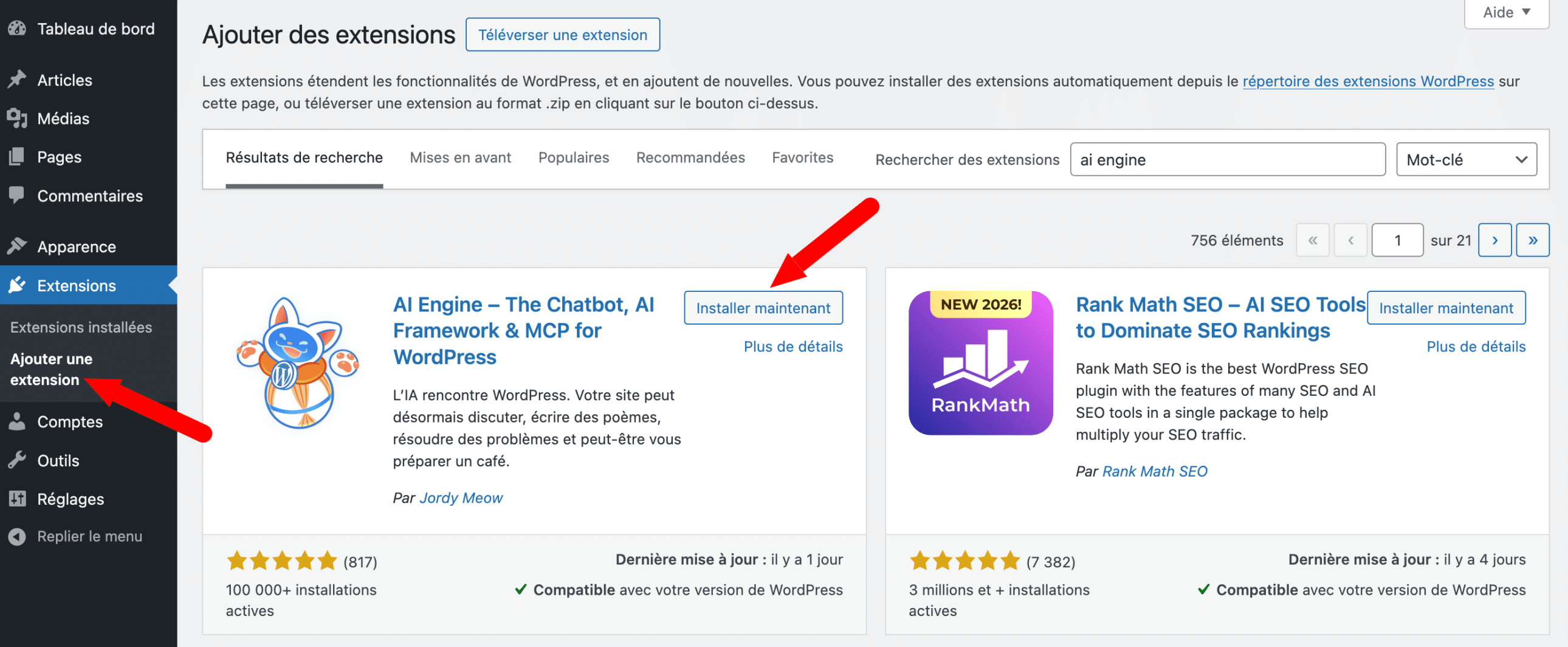
Once the plugin has been installed and activated in your WordPress back office, connect it to the AI service of your choice (e.g., OpenAI) by entering an API key.
Then simply go to the menu of your choice (Content, Images, Videos, Playground) to use the feature you’re interested in:
Advantages and limitations of WordPress AI
As you’ve just seen, AI offers real and measurable benefits for WordPress users. But it also comes with limitations that are worth knowing before you get started.
The benefits of AI in WordPress
- Significant time savings in content creation, image optimization, and SEO.
- Reduced production costs for small organizations.
- Improved user experience through chatbots and personalization.
- Access to advanced features without technical development skills.
- Greater consistency in managing organic SEO at scale.
The limitations not to ignore
- AI-generated content often lacks personality and authenticity. It needs to be reviewed, enriched, and adapted to your tone.
- Some AI plugins are expensive or work on a subscription basis, which can weigh on your budget.
- AI does not replace a well-thought-out content strategy or human SEO expertise. It speeds up execution; it does not define the direction.
- Using automatically generated content without supervision can harm your credibility and, in some cases, your search rankings if Google detects low-value content.
- Dependence on third-party services (API keys, cloud platforms) can raise issues of confidentiality and service continuity.
In our view, it is therefore essential to approach AI as an assistive tool, not as a replacement for your strategic thinking.
In conclusion, artificial intelligence offers concrete and accessible opportunities to improve your WordPress site: content creation, SEO optimization, image management, security, and user experience. The tools are there, increasingly powerful and affordable.
Still, AI is only as good as the strategy that guides it. To make the most of it, you need to know which goals to pursue, which plugins to choose, and how to integrate them without weakening your site.
Would you like to go further and harness the full potential of WordPress to grow your online presence?
The Maintenance WP team supports businesses in creating, maintaining, and optimizing the SEO of their WordPress sites. Contact us to learn more:
FAQ: WordPress AI
Is it accessible to beginners, or do you need technical skills?
AI on WordPress is accessible without technical skills. Plugins like Bertha AI, Rank Math AI, or the tools built into Elementor work in just a few clicks. For more advanced integrations (custom automations, connecting to APIs), support from a developer is still recommended. AI democratizes access, but human expertise ensures truly optimized results.
Can AI help create an online store?
Yes. Combined with WooCommerce, AI can generate optimized product pages, personalize purchase recommendations, automate customer service via chatbot, and analyze visitor behavior. It speeds up creation and improves the user experience. For a high-performing store that is properly configured from the start, professional support remains a real asset.
Can AI improve organic SEO?
Yes, provided it is used properly. Tools like Rank Math AI or SEOPress AI help with writing, optimizing tags, and internal linking. AI also analyzes search intent faster than a human alone. It does not replace a solid SEO strategy, but it significantly accelerates it when guided by an expert.
How can you avoid low-quality content?
AI generates a working draft, not final content. Always proofread your SEO-optimized articles, verify factual information, and adapt the tone to your audience. Add your expertise, your concrete examples, and your point of view. Purely automated content is easy to detect — and undermines your site’s credibility. The rule: AI writes, humans validate and enrich.
What are the risks for SEO or the site’s credibility?
Mass-generated content, without review or personalization, can be penalized by Google and will disappoint your visitors. The main risks: duplicate content, inaccurate information, and a generic tone that harms your brand image. Misused AI does more harm than good. Regular human oversight remains essential to protect your positioning.
How can AI and human work be combined effectively?
Use AI for repetitive tasks: drafts, summaries, tag optimization, and structure suggestions. Reserve humans for strategy, verification, creativity, and customer relations. This duo — the speed of AI and human judgment — is currently the most effective combination for producing reliable content and a truly effective WordPress site.